
Have you ever received a message online or on your phone and wondered, “what does iMsg mean?” With texting, social media, and apps like Instagram and Snapchat dominating our conversations, abbreviations and slang have become the norm. iMsg is one of those terms that pops up frequently—but its meaning can differ depending on context. In this guide, we’ll break down what iMsg means in texting, Instagram, Snapchat, and more, so you’re never left guessing again.
Understanding iMsg in Texting
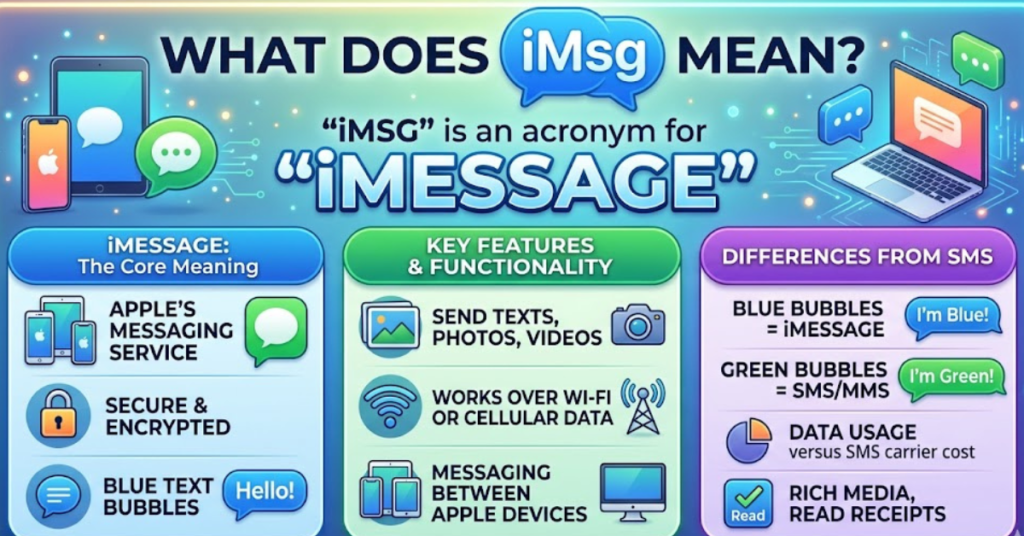
At its core, iMsg is short for iMessage, Apple’s proprietary messaging service. If you’re using an iPhone, iPad, or Mac, iMessage allows you to send text messages, photos, videos, and audio over the internet instead of through standard SMS.
Key features of iMessage:
- Works over Wi-Fi or cellular data
- Shows read receipts and typing indicators
- Supports group chats
- Sends animations, GIFs, and stickers
When someone asks “what does iMsg mean in texting,” they usually want to know if a message is an iMessage (blue bubble) versus a regular SMS (green bubble).
iMsg on Social Media Platforms
iMsg isn’t just for Apple users. You may see it referenced on Instagram, Snapchat, or other social media channels.
1. What Does iMsg Mean in Text Instagram?
On Instagram, “iMsg” might appear when someone is referring to continuing a conversation via iMessage instead of Instagram DMs. Essentially, it’s a shorthand way of suggesting: “Let’s chat on iMessage.”
2. What Does iMsg Mean on Snapchat?
On Snapchat, iMsg is not a native feature. If someone mentions it, they’re usually asking to switch platforms from Snapchat to Apple’s iMessage for messaging.
Common Scenarios for Using iMsg
Understanding the context helps you decode iMsg accurately:
- Professional communication: “Send me the document via iMsg.”
- Friends texting: “iMsg me later, I’ll be free.”
- Social media chat: Switching platforms for better features like read receipts or media sharing.
Tips for Using iMsgs Properly
- Check the recipient’s device: iMessage only works with Apple devices.
- Use rich media wisely: Photos, videos, and GIFs enhance iMessages.
- Mind your notifications: iMessages alert you instantly, so it’s polite to respond timely.
- Stay secure: iMessage offers end-to-end encryption, making it safer than some third-party messaging apps.
FAQs About iMsg
Q1: Is iMsgs the same as text messaging?
A: Not exactly. iMessage uses the internet to send messages, while SMS relies on mobile networks.
Q2: Can Android users send iMessages?
A: No. iMessage is exclusive to Apple devices. Android users receive standard SMS instead.
Q3: Why is my iMessage green sometimes?
A: A green bubble indicates the message was sent as SMS instead of iMessage, usually when the recipient is offline or using a non-Apple device.
Q4: What does iMsgs mean in text Instagram?
A: It typically means the person wants to continue the conversation on iMessage rather than Instagram DM.
Q5: Can iMessage be used for group chats?
A: Yes! You can create group chats, send images, GIFs, stickers, and more using iMessage.
Conclusion
In short, iMsg means iMessage, Apple’s messaging platform, and it often appears in texting, Instagram, or Snapchat conversations when someone prefers messaging via Apple devices. Whether you’re using it for personal chats, professional communication, or social media interactions, understanding iMsg ensures you stay connected without confusion.